Reviewed by Tara Sullivan · Updated October 2026 · 19 min read
A hairstyle try-on app is worth using for exactly one thing: deciding whether a shape suits your face before somebody cuts it. It is not worth trusting on fullness — three of the largest apps here advertise adding hair volume as a feature, which means the preview you are looking at has often been quietly thickened.
That matters more on fine and thin hair than on any other hair type, and no other roundup mentions it. Below are ten apps compared on the five things that decide whether a preview survives contact with a real head of hair, with every price, library size and data-collection declaration checked against the live App Store and Google Play listings in September 2026.
Every app here is chosen independently, on the merits. We take no payment for placement, and none of these developers had any input into this page. Prices are US App Store figures checked in September 2026, with availability and free tiers rechecked in October 2026 — they change, and they vary by region.
Our picks at a glance
Best overall:HairHunt, re-renders the cut into your own photo and is the only app here with a back view
Best free library:YouCam Makeup, 250-plus preset styles and a live camera mirror
Best with no subscription:Hairstyle Try On (KBMSoft), 33 free styles, one-time packs, and nothing leaves your phone
A preview is a shape reference, not a promise about density.
Chair-side note
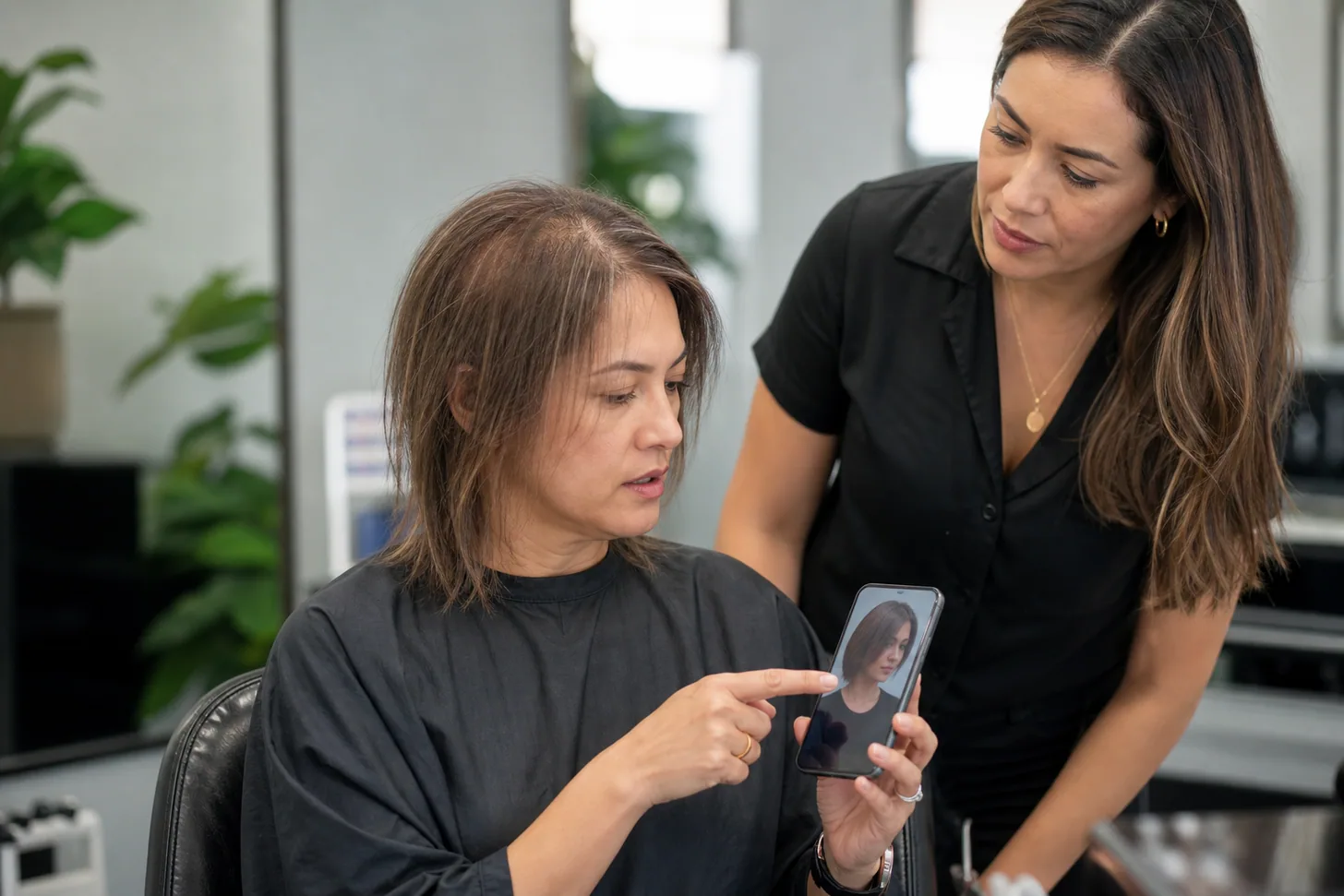
Roughly half my consultations now start with a phone, not a magazine — and I am genuinely glad about it. A screenshot tells me in four seconds what fifteen minutes of "shoulder-length-ish, with movement" cannot. What I have learned to do is look past the hair in the image and at the outline: where the shortest piece lands, where the weight sits, how far the ends travel past the jaw.
That part is real information. The thickness in the picture almost never is, and the conversation I have to have — that your hair will do this shape but it will do it softer — goes much better when it happens before the scissors, not after.
SB
— Simone Baptiste, Senior Stylist
What a hairstyle try-on app can and can't tell you
The useful frame is that these apps answer geometry questions well and physics questions badly.
What translates reliably: total length and where the ends land on your body; the outline of the cut against your jaw and cheekbones; whether a fringe suits your forehead height; the rough direction of a color change; how a side part versus a middle part changes your face. All of that is shape, and shape is what the models are good at.
What does not translate: density, movement, and behavior. An app cannot know that your crown has a cowlick that will not lie down under a blunt fringe, that your hair goes limp four hours after styling, or that the shape you are looking at needs a round brush and ten minutes every morning.
It also cannot tell you the difference between diameter and density, which is the distinction that decides most fine-hair haircuts — if you have not sorted that out yet, how to tell fine hair from thin hair is the ten-minute version.
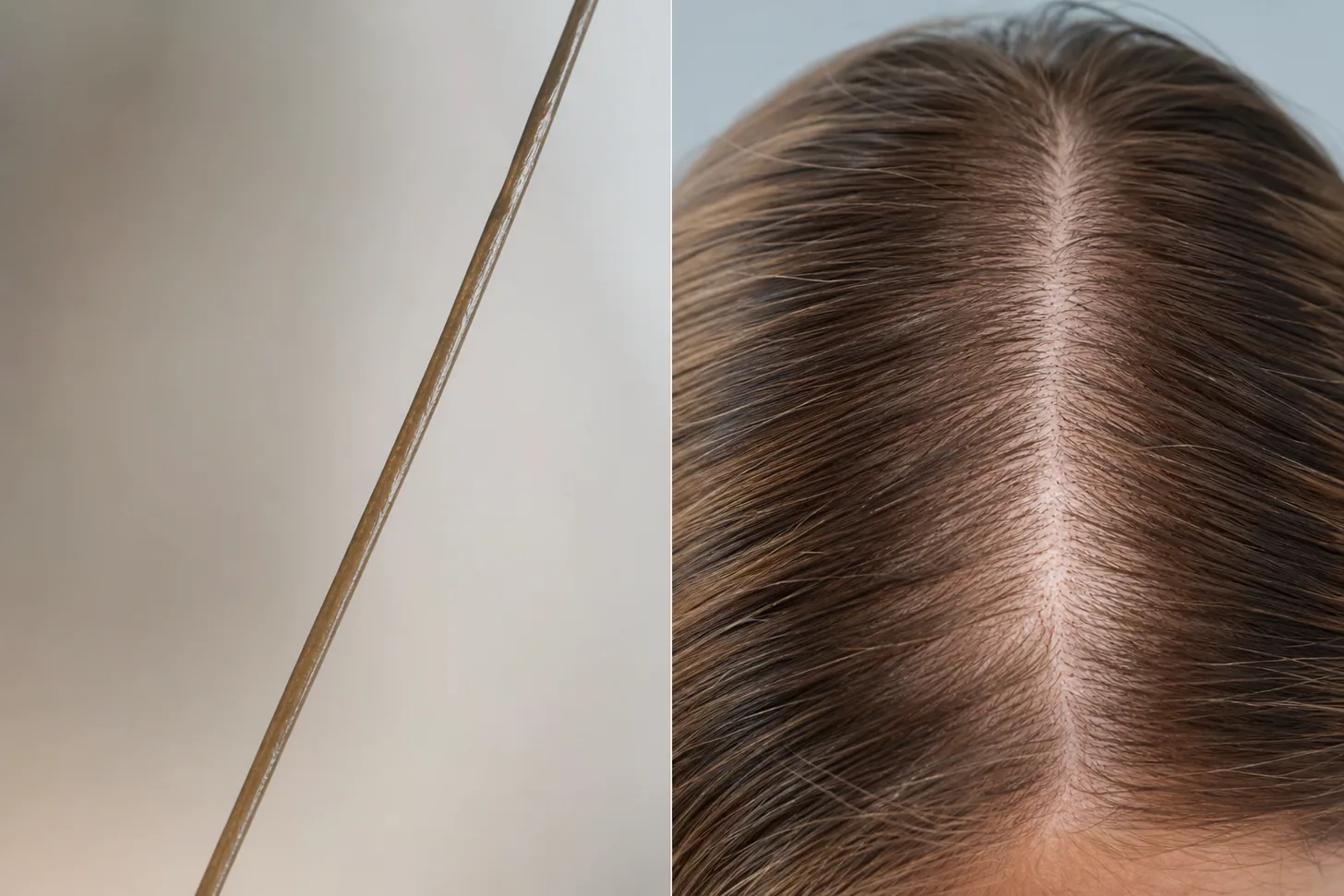
It helps to know what the scale actually is. Quantitative trichoscopy puts average scalp hair density at roughly 163 hairs per cm² with a mean shaft diameter around 74 microns in healthy scalps. Fine hair sits well below that diameter figure and low-density hair well below the count — and a generative model has no way of measuring either from your selfie. It renders the density its training data taught it to expect.
How we compared them
We pulled the current US App Store and Google Play listing for every app in September 2026 and recorded, for each one: developer, version, star rating and rating count, the full in-app purchase list, the stated library size, the platform requirements, and the developer's own data-collection declaration. We then scored each app on the five criteria that actually decide whether a preview is useful for planning a haircut:
Does it re-render, paste, or overlay? Generative AI regrows the hair from your real hairline. AR maps a model onto your live camera. A static overlay drops a cut-out on top and asks you to position it. These produce very different levels of realism.
Does it show the back? The commonest post-haircut regret is a shape you only ever saw from the front.
How honest is it about volume? Whether the product markets density-adding as a feature — which tells you what it will do to your preview.
Is the free tier really free? How many generations you get before a paywall, and whether the paywall is a subscription or a one-time purchase.
What happens to your photo? On-device versus cloud, and what the developer declares it links to your identity.
What we did not do: we did not run a controlled photo test across all ten apps, and we will not claim we did. Where we describe how a result looks, we are describing what the developer documents and what its own store listing and user reviews show.
The stylist judgment in this piece is about what makes a preview usable in a salon chair — which is a different and, for our reader, more useful question than which render is prettiest.
The 10 best hairstyle try-on apps
Ranked by how much use the preview is when the goal is a real haircut, not a filter.
1. HairHunt — best overall for planning a real cut
HairHunt’s try-on screen. Image: Sugesta L.L.C-FZ, App Store listing.
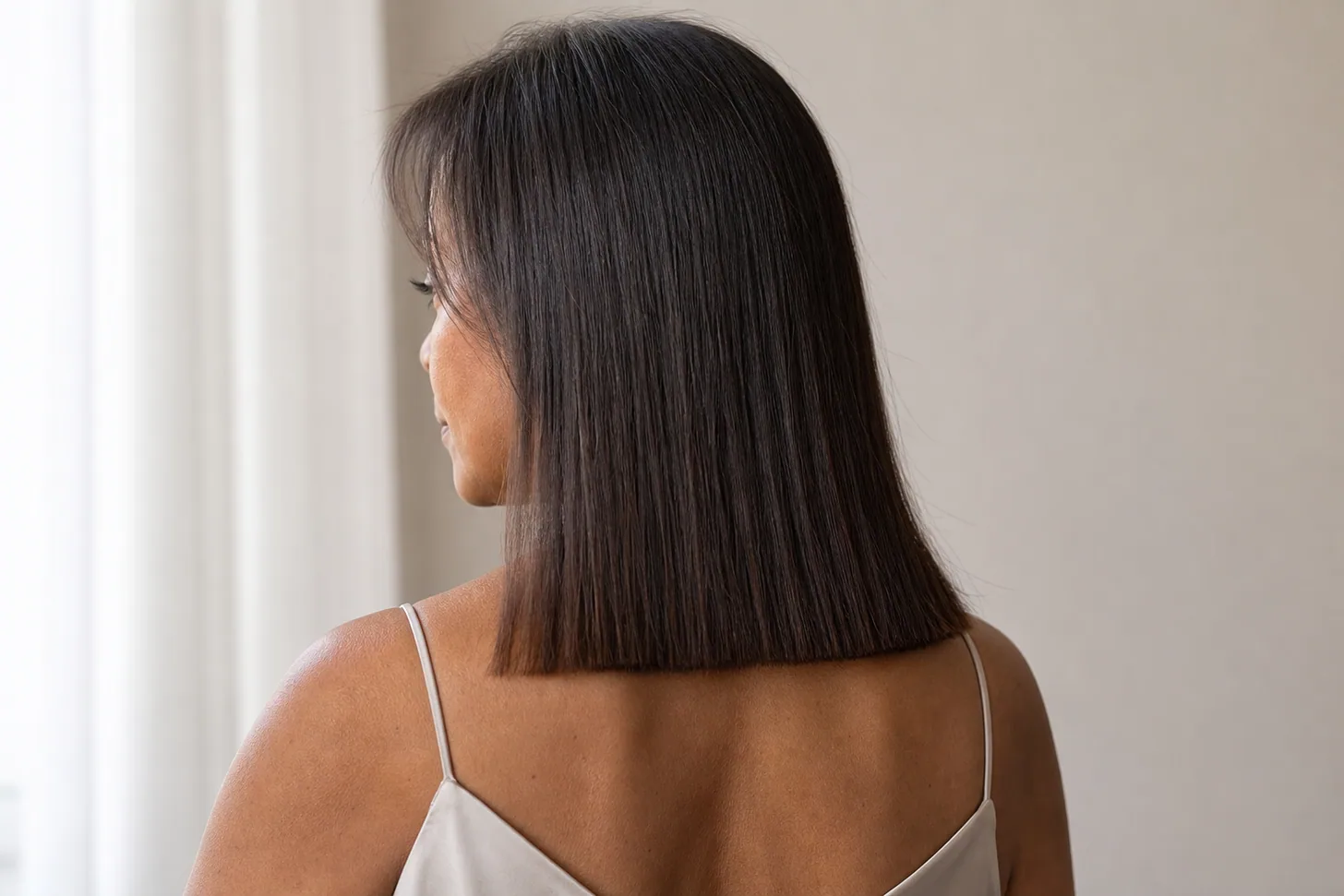
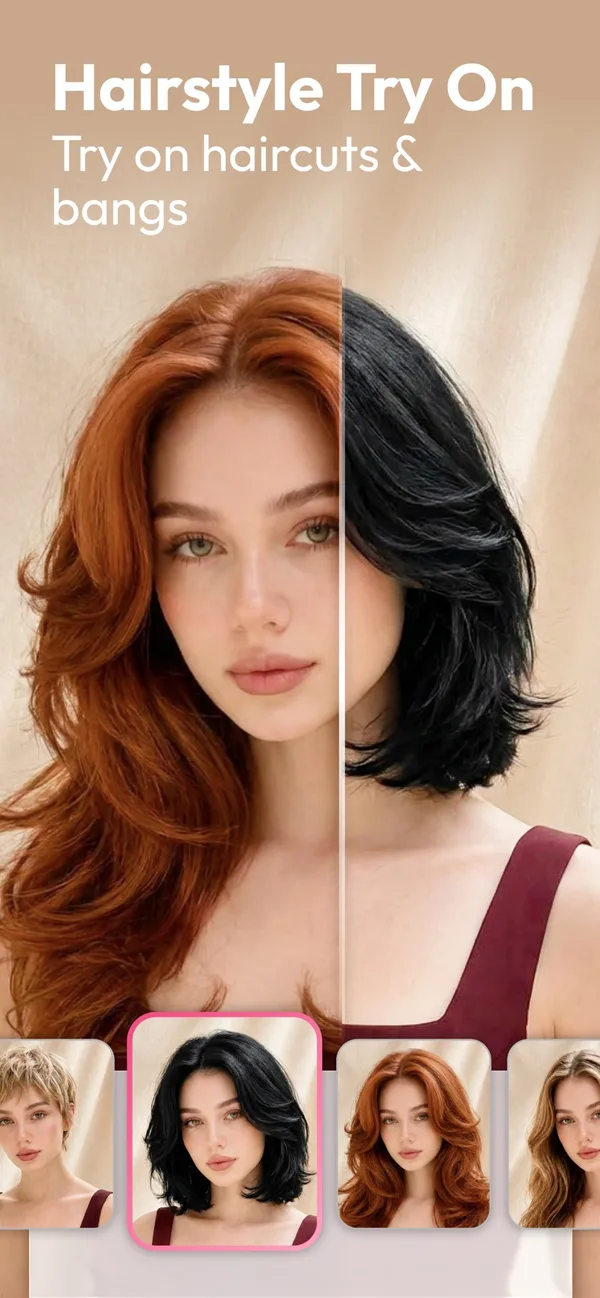
HairHunt is the only app in this comparison that does both of the things that matter most: it re-renders the style into your own photograph rather than overlaying a model, and it gives you a 360-degree video preview so you can see the shape from behind and at the nape. Given that "I had no idea what it looked like from the back" is the most common thing I hear from clients who regret a cut, that single feature does more practical work than any style-count figure.
Its AI Style Match onboarding runs a short quiz plus facial analysis and returns a shortlist rather than dumping a catalog on you, and a Visits section logs salon appointments with photos and color formulas — which is the closest thing here to a hair diary you can hand a new stylist.
The library is deliberately smaller than the giants: around 100 styles split roughly evenly between women's and men's cuts, across pixie, bob, medium and long lengths and straight through coily textures. That is a curated set, not an archive, and for decision-making that is the right trade.
HairHunt’s color picker. The cut stays as it is in your photo. Image: Sugesta L.L.C-FZ, App Store listing.
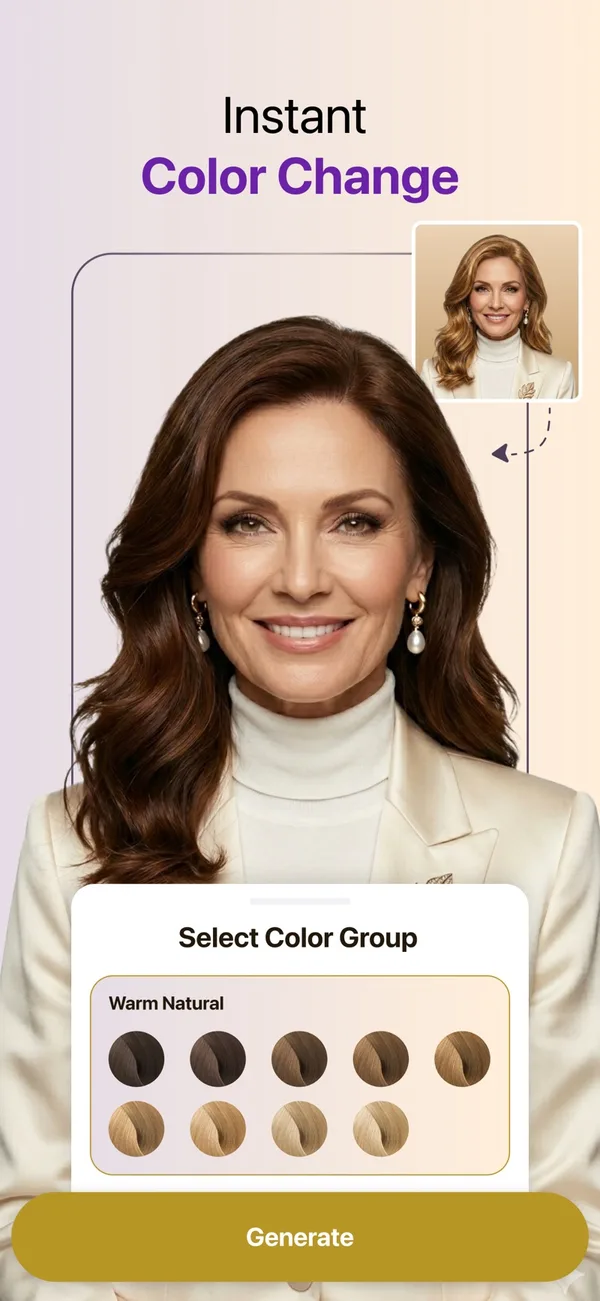
Color works differently from cuts, and it is worth understanding how. Hair color try-on in HairHunt is a pick-and-apply process: you choose one shade or as many as you want to compare, from ash blonde and platinum through copper, strawberry blonde and burgundy, then pick which selfie to use, and you get a separate result for each color.
The color is applied to your hair and the hairstyle is left exactly as it is in the photo. Your cut, length and part stay put. For a fine-haired reader that makes color the more honest of the app's two modes: you are judging a shade on your own hair, not on a regenerated head of hair, and picking several colors against the same selfie gives you a genuine side-by-side instead of a series of different-looking photos.
Best for: anyone with a consultation booked who wants to walk in with a shape, a back view and the right words. Honest limitation: it is a young app with a correspondingly small ratings base, the free tier is one complimentary generation before you are choosing between a subscription and credit packs, and — like every generative tool here — it will render your hair fuller than it is. It also needs a fairly recent phone.
Platforms
iOS 16.4+, Android
Price
Free to download. Premium about $9.99/month or $49.99/year; credit packs from about $9.99
Rating
4.4★ from 410 US App Store ratings
Developer
Sugesta L.L.C-FZ
Privacy
Photos and videos linked to your account
2. YouCam Makeup — the biggest free library and a live AR mirror
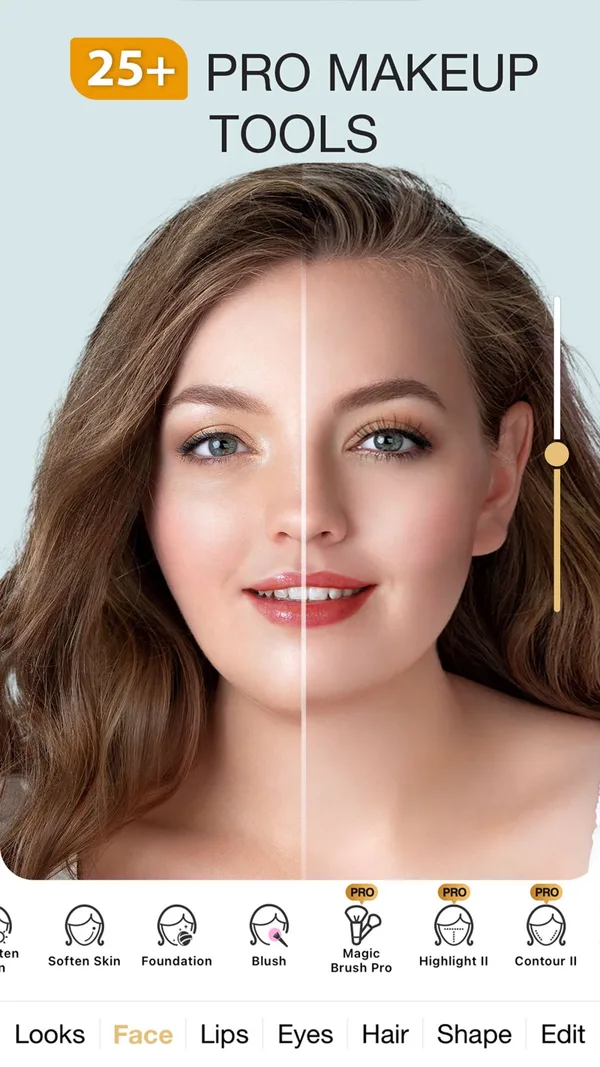
YouCam’s hairstyle try-on with its preset row. Image: Perfect Mobile Corp., App Store listing.
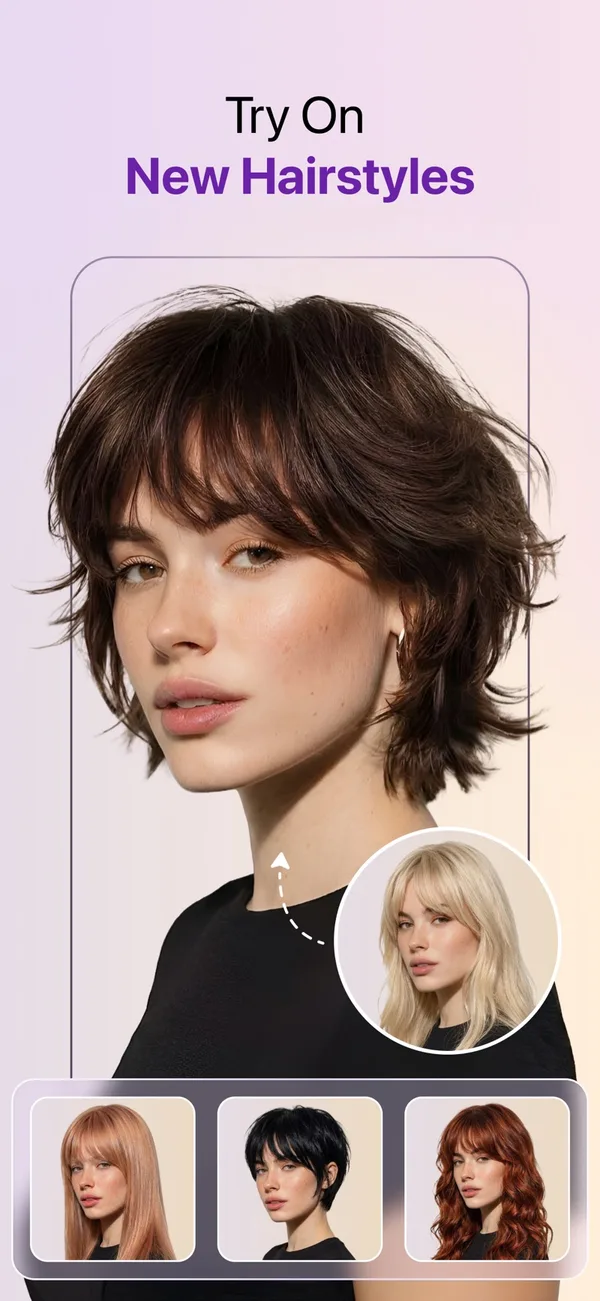
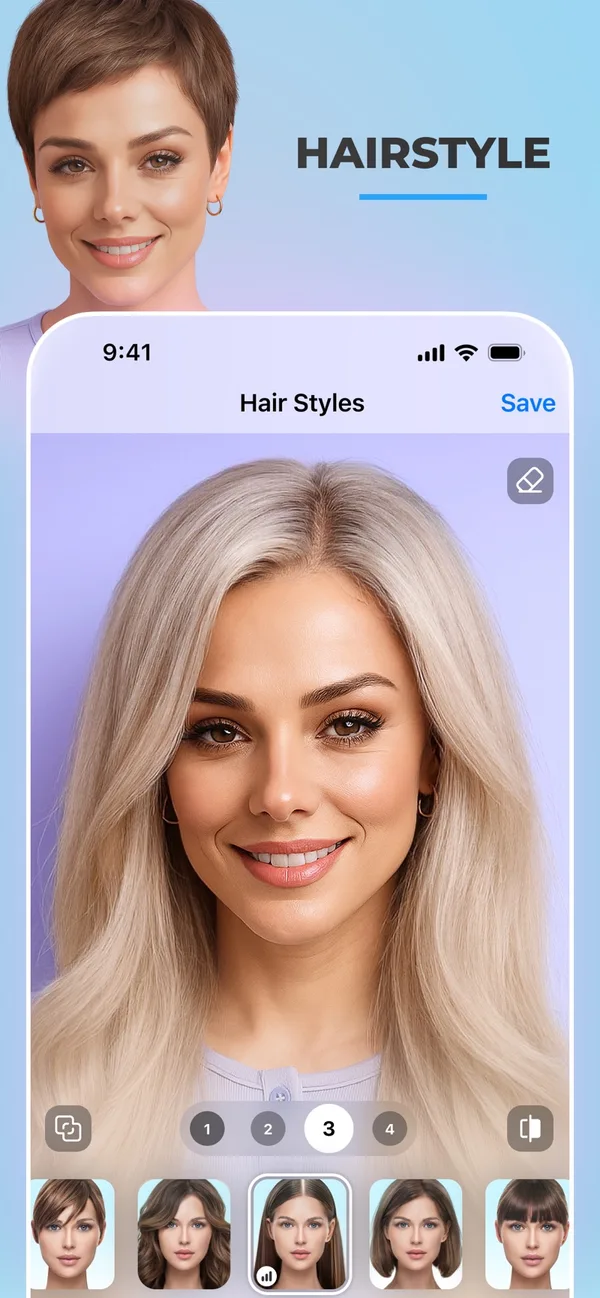
If you want to browse rather than decide, nothing here beats YouCam on sheer volume: 250-plus preset hairstyles, a separate hair color changer, and real-time AR so the style tracks your head as you turn it.
The live mirror is genuinely the fastest way to reject eight colors in two minutes, and it is the most polished consumer beauty app in the category by some distance. It is also the app most likely to be recommended to you by other roundups, several of which are published by its own parent company without saying so.
Best for: fast, broad browsing and color, especially if you want makeup and skin tools in the same place. Honest limitation: AR is an overlay, not your hair — it looks convincing in motion and much less convincing when you screenshot it and study the hairline. The good styles skew premium, and its privacy declaration is the most expansive here, including data used to track you across other companies' apps.
Platforms
iOS, Android
Price
Free to download. Premium roughly $5.99–$9.99/month or $31.99–$39.99/year
Rating
4.7★ from about 155,000 US App Store ratings
Developer
Perfect Mobile Corp.
3. FaceApp — the most photoreal single tap, and the most flattering
FaceApp has been doing photoreal face editing longer than anyone in this list and it shows: one tap and the result usually looks like a photograph rather than a composite.
Its hair tools cover both style and color, and it is the fastest way to get a convincing image out of a mediocre selfie. Read its own feature list carefully, though — "add volume to your hair" is listed as a selling point, which is precisely the behavior a fine-haired user needs to discount.
Best for: a quick, believable image when you just want to see roughly what a shorter length does to your face. Honest limitation: it flatters as a matter of design — skin smoothing, subtle face reshaping and added density all arrive together, so the person in the preview is a slightly improved you. Style variety is narrow next to YouCam, and there is no back view.
Platforms
iOS, Android
Price
Free to download. PRO from about $10, up to a $100 lifetime option
Rating
4.7★ from about 1.8 million US App Store ratings
Developer
FaceApp Technology Limited
Privacy
Only data not linked to your identity
4. PhotoDirector — best if you want to adjust the result afterwards
CyberLink's editor treats the hairstyle as one layer in a full photo-editing stack, so you can generate a cut and then fix what the AI got wrong — tone down a color, crop to a portrait, retouch a seam at the hairline.
Nothing else here gives you that much control after the fact. Its AI hairstyle feature was rebuilt for realism, and it also offers an explicit "added hair volume" tool, which is useful to know exists and useful to leave switched off.
Best for: people who already edit photos and want the preview to fit into that workflow. Honest limitation: the AI generations run on credits, and a recurring complaint in its reviews is discovering that after expecting the feature to be free. It is also the least focused option here — you are opening a photo editor to answer a haircut question.
Platforms
Android. The US App Store listing would not load when we rechecked in October 2026
Price
Free tier. Subscriptions from about $2.99/month or $39.99/year; credit packs about $4.99–$8.99
Rating
4.2★ from about 944,000 Google Play ratings
Developer
CyberLink Corp.
5. Hairstyle Try On (KBMSoft) — the privacy pick, and the only one without a subscription
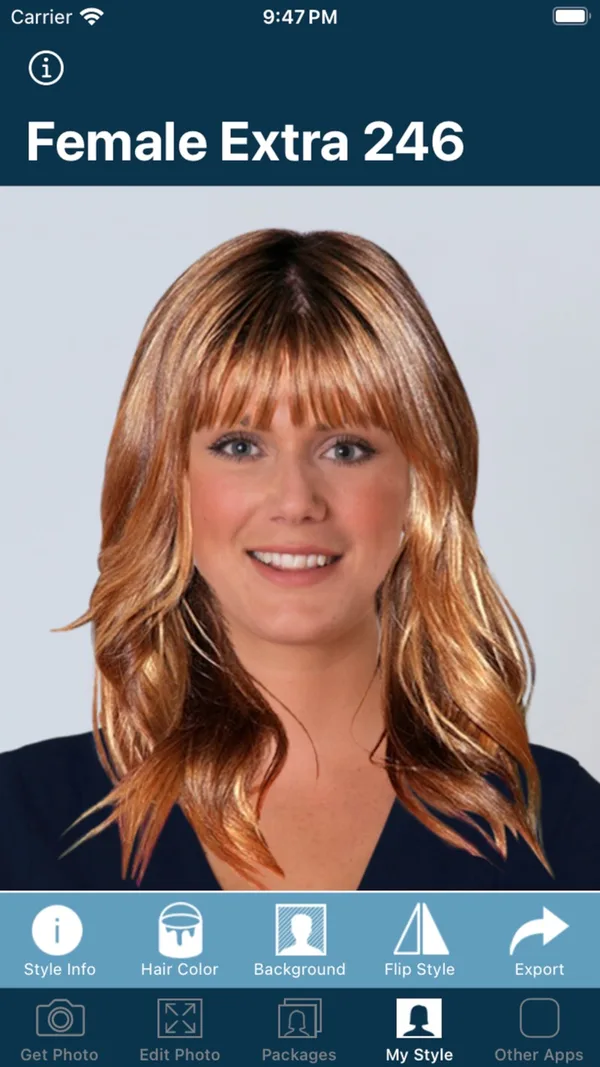
A pasted overlay, not a regenerated head of hair. Image: KBMSoft ApS, App Store listing.
This is the old-fashioned option and it earns its place twice over. It works by manual overlay: face detection places a cut-out hairstyle, and you position, scale and rotate it with your fingers. That is less magical than generative AI and it has one real advantage — because it is not inventing hair, it is not inventing density either. What you see is a wig on a photo, and you know it, which paradoxically makes it harder to fool yourself.
It is also the only app in this comparison with no subscription at all. Style packs are one-time purchases of a dollar or two, up to about $4.99 for everything, and the developer declares that the app collects no data — a claim no cloud-based competitor here can make.
Best for: anyone who wants to try shapes without a subscription, without an account, and without their face going to a server. Honest limitation: it looks like a 2015 app, the positioning is fiddly, and no amount of finger-dragging makes a pasted style blend into your real hairline. Judge the outline, not the realism.
Platforms
iOS
Price
Free to download. Style packs $0.99–$4.99, one-time, no subscription
Library
33 free styles, 750+ across all packs, 50+ colors
Rating
4.0★ from about 6,900 US App Store ratings
Developer
KBMSoft ApS
Privacy
No data collected
6. HairTry: AI HairCut Simulator — best for copying a style you saw online
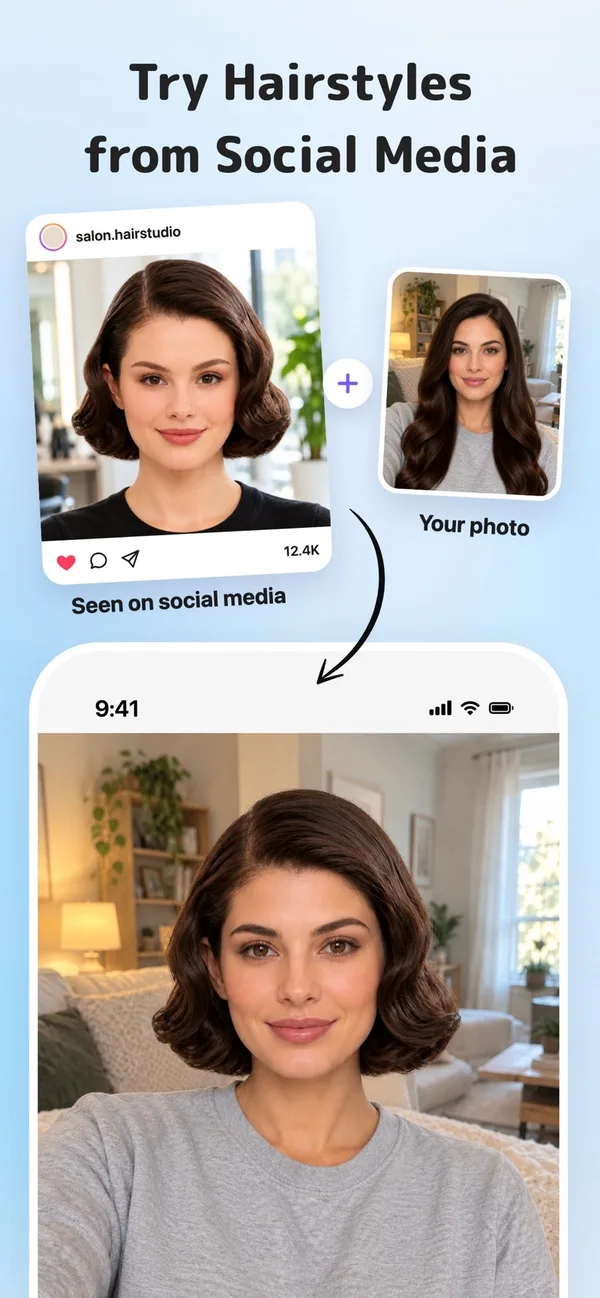
HairTry’s import-from-social-media flow. Image: Kazuya Saito, App Store listing.
HairTry's differentiator is that you are not limited to its catalog: you can import a photo of a style from social media and have the app adapt that specific cut to your face.
If your reference is a particular person's particular haircut — which, in practice, is how most people actually shop for hair — that is a more direct route than scrolling presets hoping something matches. It also offers face-shape-based suggestions and hair color adjustment, and it is updated frequently.
Best for: "I want that haircut" — where that is a saved image, not a category. Honest limitation: a small ratings base from a solo developer, and importing someone else's photo imports their density too, so the flattery problem is amplified rather than reduced. The style catalog is undocumented, so you cannot know what you are getting until you are in.
Platforms
iOS
Price
Free to download. About $2.99–$7.99; annual about $29.99
Rating
4.2★ from about 674 US App Store ratings
Developer
Kazuya Saito
7. Perfect365 — best free option for playing with color
Hair is one tab in Perfect365’s makeup editor. Image: Perfect365, Inc., App Store listing.
Perfect365 has been a mainstream makeover app for over a decade and carries one of the highest ratings in the category. Its strength is color rather than cut: a modest set of around 28 hairstyles, but hair color that blends softly and holds up across skin tones and angles, inside a full makeup editor.
Best for: casual, free experimenting with color and a whole-face look. Honest limitation: the hairstyle library is small and skews long, the realism is decent rather than convincing, and the beauty filters are heavy enough that you should turn them off before judging anything.
Platforms
iOS, Android
Price
Free to download. PLUS about $9.99/month or $39.99/year; add-ons $0.99–$4.99
Rating
4.8★ from about 183,000 US App Store ratings
Developer
Perfect365, Inc.
8. Fotor AI Hairstyle Changer — best browser tool, nothing to install
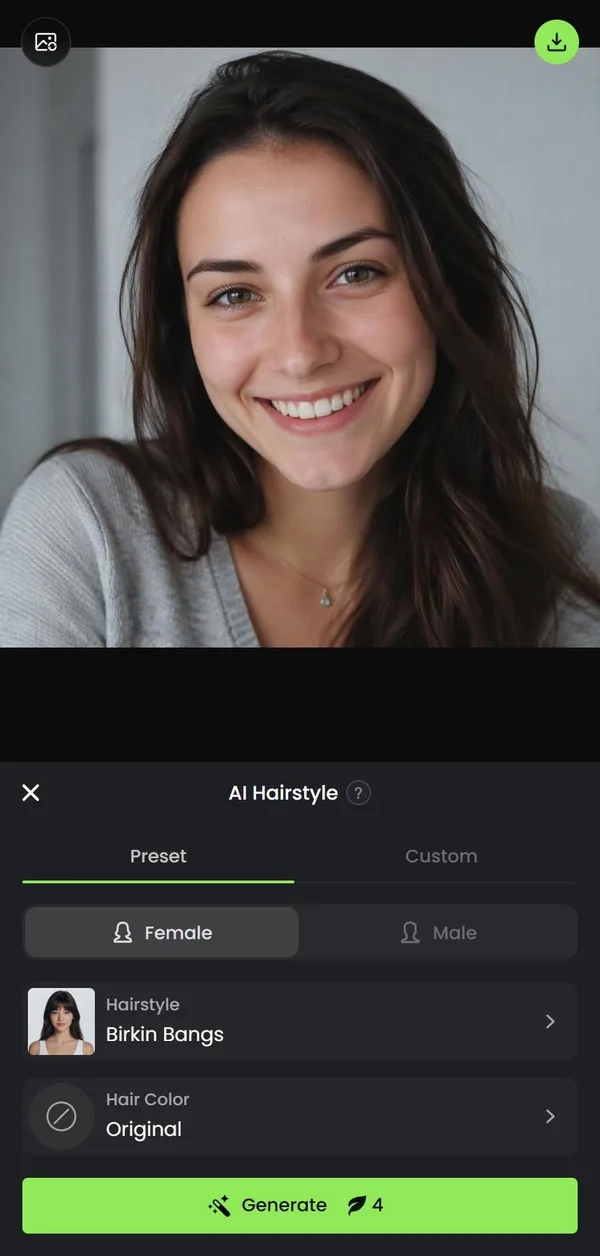
Fotor’s AI Hairstyle tool in a phone browser, with one of its own sample photos. Screenshot: Hair Gracefully, October 2026.
Fotor runs entirely in a browser on desktop or phone, which makes it the easiest way to test the idea before you commit an app to your home screen. Beyond preset styles it accepts text prompts, so you can ask for something the catalogs do not carry — "chin-length blunt bob with a soft curtain fringe" — and get a render of it. New accounts get free credits, and a preset generation cost four when we checked in October 2026.
Best for: a desktop-sized look at a big image, and for describing a cut in words when no preset matches. Honest limitation: credits run out quickly, prompt-driven generation is the least predictable approach here, and a web tool means your photo is uploaded to a server by definition. There is no back view and no face-shape guidance.
Platforms
Web, in desktop and phone browsers. No install or app store account
Price
Free starter credits; 4 credits per preset generation (October 2026). Pro from about $3.33/month
9. HairLook — best for a bangs-only decision
HairLook’s side-by-side preview. Image: Antac SAS, App Store listing.
HairLook markets itself on hyper-realistic previews rather than filters, and its feature set is unusually well split into the decisions people actually make: Hairstyle Transfer, Hair Color Try-on, and a dedicated Bangs Editor.
That last one earns it a place. Bangs are the highest-regret, lowest-reversibility decision in hair, and they are also the decision these apps model best, because a fringe is pure shape against a forehead. Being able to isolate that question without regenerating your whole head is genuinely useful.
Best for: the fringe question specifically — and it is worth reading how bangs behave on fine hair before you commit, because the preview will not tell you about the every-three-week trim. Honest limitation: the developer publishes no library count and no pricing on its own site, which means you find out what it costs at the paywall. Style totals described only as "hundreds" are a claim, not a specification.
Platforms
iOS, Android
Price
Subscription required for hairstyle transfers; pricing not published on the developer's site
Developer
Antac
10. My Hair [iD] by L'Oréal Professionnel — best for taking a color to a salon
My Hair [iD]’s shade try-on, built for the salon chair. Image: L’Oréal, App Store listing.
This one is not a hairstyle app at all and is included for a specific job: it is L'Oréal Professionnel's salon-facing color tool, built around diagnosis and virtual color try-on, and it maps what you see to shades a colorist can actually mix.
If your appointment is about color rather than cut, arriving with a reference from the manufacturer's own system removes a whole layer of translation. If color is the whole question, our colorist's ranking of the best hair color try-on apps compares ten tools on shade accuracy alone. It replaced the older Style My Hair app (see below).
Best for: color consultations at a L'Oréal Professionnel salon. Honest limitation: it is designed around the professional rather than the consumer, the interface reflects that, and its consumer ratings are poor — around 2.2 stars on Google Play. It does nothing for cuts. And a caution specific to our reader: color changes how full hair reads but does not change how much of it there is, which placement rather than shade handles better.
Platforms
iOS, Android
Price
Free
Scope
Color only, no haircuts
Developer
L'Oréal
Compare the ten at a glance
App
Best for
How it works
Platforms
What's free
Men's styles
Back view
HairHunt
Planning a real cut
Generative AI for cuts; color on your own hair
iOS, Android
1 generation, then subscription or credits
Yes, about half the library
Yes, 360° video
YouCam Makeup
Browsing a big library
Real-time AR plus AI presets
iOS, Android
Free tier; the best styles need Premium
Not listed
No
FaceApp
One convincing image
Generative AI, one tap
iOS, Android
Some filters free; PRO for the rest
Beard and mustache tools
No
PhotoDirector
Editing the result
Generative AI in an editor
Android (US iOS listing unavailable)
Free editor; AI hairstyles use credits
Not listed
No
Hairstyle Try On
Privacy, no subscription
Manual cut-out overlay
iOS
33 styles; packs $0.99–$4.99, one-time
Yes, male and shaved packs
No
HairTry
Copying a saved style
Generative AI plus image import
iOS
A limited number of AI images; Pro for unlimited
Yes, men's section and bald filter
No
Perfect365
Color, casually
Overlay plus color blending
iOS, Android
Most tools free with ads; PLUS for unlimited
Not listed
No
Fotor
Browser, no install
Generative AI plus text prompts
Web
Starter credits; 4 credits per preset
Yes, male presets
No
HairLook
The bangs question
Generative AI, bangs editor
iOS, Android
No free cut previews; subscription required
Yes
No
My Hair [iD]
Salon color consults
AR color try-on plus diagnosis
iOS, Android
Free
Color only
No
Which hairstyle try-on apps are actually free?
Almost every app here is "free to download", and almost none is free to use properly. The useful question is what you get before the paywall, because that decides whether you can answer your haircut question without paying.
Free with no catch:Hairstyle Try On by KBMSoft includes 33 styles at no cost and sells the rest as one-time packs, not a subscription. My Hair [iD] is free, but it only does color.
A free taste, then a paywall:HairHunt gives one complimentary generation, Fotor gives new accounts starter credits, and HairTry limits how many AI images the free version makes. That is enough to test two or three cuts.
Free tiers with the good styles locked:YouCam Makeup, FaceApp and Perfect365 all work without paying, but the most realistic styles and the higher limits sit behind subscriptions of roughly $30 to $50 a year.
No free haircut previews:HairLook states that a subscription is required for hairstyle transfers.
If you only want to try on hairstyles with your own picture for free, without installing anything, the general AI assistants below are the other route. Their free tiers allow a limited number of image edits a day.
Can you use ChatGPT or Gemini to try on hairstyles?
Yes. Both ChatGPT and Google Gemini will edit an uploaded selfie when you ask for a different haircut, and both offer this on their free tiers with daily limits that change often. For a quick, no-download look at a shape, they are genuinely good.
They have two weaknesses that matter more than realism. First, they are general image models, not hairstyle tools, so they can drift your face: a slightly different jaw, smoother skin, a new expression. Second, they inflate density even more freely than the dedicated apps, because nothing in them is designed to keep your hair as it is.
You can push back on both with the prompt. This is the one I give clients who want to try it:
"Edit this photo. Keep my face, skin, expression, lighting and background exactly the same. Keep my hair's real thickness, texture and color, including how much scalp shows at my part. Change only the haircut to a chin-length blunt bob with a soft curtain fringe. Do not add volume."
Swap in the cut you want, run it three times, and judge the shape the three results share. If the part in the result looks narrower than yours, the model added hair anyway, which is the same tell described in the next section.
The density problem: why every preview flatters fine hair
This is the section other roundups skip, and it is the one that decides whether any of this is useful to you.
Generative hairstyle models learn what hair looks like from photographs — overwhelmingly styled, professionally lit, editorially selected photographs. Hair in that training material is denser, glossier and better finished than hair on an average Wednesday. So when a model paints a bob onto your head, it paints the bob it has seen: full through the mid-lengths, opaque at the part, with ends that hold their own weight.
You do not have to take this on trust. Look at what the products themselves sell. FaceApp lists "add volume to your hair" as a feature. PhotoDirector advertises "added hair volume."
Perfect Corp, YouCam's parent, sells a separate tool specifically for filling in thinning parts. Volume-adding is not an accident of these models — for a large part of the market it is the point. Which means the fine-haired user is being shown a deliberately improved version of her own density and told it is a preview.
None of that makes the apps useless. It makes them shape tools that need one correction applied. Read the outline, the length, the weight line and the framing as real information. Read the fullness as marketing. If you want to know what genuinely makes fine hair read thicker in the mirror rather than on a screen, that is a cutting question, and the cuts that actually make fine hair look thicker covers the weight-line mechanics an app cannot simulate.
Chair-side note
Here is the tell I use, and you can use it on your own screen. Look at the part line in the preview, and look at the ends. If the part has gone narrower than yours really is, and the ends look as thick as the mid-lengths, the app has added density — because on fine hair the ends always taper and the part always shows.
When I see that in a client's screenshot I say so straight away, and then we talk about the same shape cut a half-inch shorter, which is usually how you get the picture's outline with your own hair's honesty.
SB
— Simone Baptiste, Senior Stylist
How to get a preview you can take to the salon
Seven steps. They take about five minutes and they change the quality of the result more than the choice of app does.
The reference photo that produces an honest preview: unstyled, dry, pushed back, flat daylight.
Step 1: Photograph your hair as it really is. Dry, unstyled, the way it looks on a normal day. A blowout selfie hands the app density you do not have on a Tuesday, and every generation afterwards inherits it.
Step 2: Use flat, even indoor light. Face a window, no direct sun. Overhead light carves a shadow into the part and makes it read wider; hard backlight erases the hairline the model needs to work from.
Step 3: Pull your hair back off the face and ears. The app has to see the outline it is replacing. Anything hidden gets guessed at, and the guesses are always generous.
Step 4: Upload the original file, not a screenshot. Compression destroys fine hairline detail first — which is exactly the detail that decides whether the render looks like you or like a stock model.
Step 5: Generate the same cut three times. Generative apps return a different image every run. What the three have in common is the part that is genuinely about your face; what varies between them is invention.
Step 6: Judge the outline, discount the fullness. Ask three questions of the image: where does the shortest layer land, where does the weight sit, and does the end of the cut flatter my jaw? Those are answerable. "Does my hair look thick" is not.
Step 7: Bring two or three previews, not one. One image is an instruction; three are a conversation. And bring words — the exact phrases to use with your stylist are worth more than the pictures, because they describe the effect you want rather than a result on somebody else's hair.
If you are using these apps to track a change over months rather than plan one cut, the same photo discipline applies for a different reason, and how to photograph hair progress consistently covers the setup that makes two photos actually comparable.
What happens to your photo
A hairstyle try-on is a face upload, and the apps differ more here than they do on realism. Three tiers, based on what each developer declares on its own store listing:
Nothing leaves your phone. Hairstyle Try On by KBMSoft declares that it collects no data at all — the processing is local.
Collected, but not linked to you. FaceApp declares purchase, usage and diagnostic data that is not tied to your identity.
Linked to your account. HairHunt, YouCam Makeup and most cloud-based generative apps declare that your photos and videos, email and user IDs are linked to you. YouCam additionally declares data used to track you across other companies' apps and websites.
None of that is unusual for a cloud app, and none of it is illegal. It is worth knowing about because a face-based try-on captures facial geometry, which several US states treat as biometric data.
Under Illinois's Biometric Information Privacy Act, companies collecting it must give written notice, obtain written consent, and publish a retention and destruction policy — and a wave of class actions has been filed against retailers whose virtual try-on tools did not. The practical version for you: if a face upload makes you uneasy, the on-device option exists and costs a couple of dollars.
Two we checked and left out
Freshness matters in this category, and a surprising number of currently-ranking roundups recommend software you cannot install.
Style My Hair by L'Oréal Professionnel is still listed as a top pick in several 2026 articles. It no longer exists as a separate app: its old Google Play listing now carries My Hair [iD], L'Oréal's current equivalent, which is why that is the entry at number ten. If a roundup you are reading recommends Style My Hair, it has not been checked recently.
Hairstyle AI: Hairstyle Try On (ZMOTIONAI PTE. LTD.) is a cautionary example rather than a recommendation. It rates 1.0 stars, its store description reuses the same "33 free hairstyles / more than 750 styles" numbers as the KBMSoft app, and its reviews describe being charged after cancelling.
The category has a clone problem: before you subscribe to anything here, check the developer name, the rating count, and the date of the last update — a legitimate app in this space updates often.
When a try-on app is the wrong tool
You are deciding whether to cut off significant length. A preview cannot show you the six months of growing out. Read what to do about a haircut you regret before, not after.
Your real question is "will this make my hair look thicker?" That is the one question these apps systematically answer wrong. Ask a stylist about weight lines and layer placement instead.
You are seeing more scalp than you used to. That is a density change, not a styling question — and no app is a diagnostic. Start with fine hair or thinning: how to tell, and see a dermatologist if it is progressing.
You want low effort, not a new look. The preview always shows a styled result. If the honest goal is fifteen minutes less work each morning, wash-and-wear cuts for fine hair is the better place to start.
You have not settled your face shape yet. An app will happily render a shape that fights your proportions — the face-shape decision guide narrows the field before you start generating.
FAQ
For deciding on a real haircut, the best app is the one that re-renders your own photo rather than pasting a wig over it, and that shows you the back of the head. HairHunt is our overall pick on those two criteria: it generates the style into your photo and adds a 360-degree video preview, which no other consumer app in this comparison offers. If what you want is a large free library to play with, YouCam Makeup has far more styles and a live AR mirror. If you want the most convincing single image with one tap, FaceApp is still the most photoreal — and the most flattering, which is a warning as much as a compliment.
They are accurate about shape and unreliable about density. Length, outline, where a weight line sits and whether bangs suit your forehead all translate well. Fullness does not: three of the largest apps in this roundup advertise adding hair volume as a selling feature, so the preview you see has often been quietly thickened. On fine or thin hair, treat the image as a shape reference and assume the real result will read lighter and softer than the screen.
Yes, but read what free means. Most apps give you a small number of free generations or a free style library and put the rest behind a subscription — commonly $30 to $50 a year. The genuinely different option is Hairstyle Try On by KBMSoft, which sells its style packs outright for a few dollars with no subscription at all. Web tools like Fotor also hand new accounts a few free credits, which is enough to test two or three cuts without installing anything. One to avoid if you want something free: HairLook requires a subscription for any hairstyle transfer.
They work, but they flatter. Generative models are trained largely on styled, photographed hair, and several apps explicitly market volume-adding as a feature, so a fine-haired user sees a version of herself with more density than she has. The fix is not to avoid the apps but to read them differently: use them to choose the shape, and use a stylist consultation to find out whether your density can hold it. Photographing your hair unstyled rather than freshly blow-dried also narrows the gap.
Some try. HairHunt runs an onboarding quiz and face analysis it calls AI Style Match and returns a shortlist; HairTry offers styling suggestions based on face shape. Both are reasonable starting filters and neither is a diagnosis — they read a face from one photo and know nothing about your hair's density, growth pattern, cowlicks or how much time you will realistically spend styling. Treat the shortlist as a way to narrow twenty options to five, then decide the five yourself.
It varies more than you would expect, and the App Store privacy label tells you most of it. Hairstyle Try On processes on your device and declares that it collects no data at all. FaceApp declares only data that is not linked to your identity. HairHunt, YouCam Makeup and most other cloud-based apps declare that your photos and videos are linked to your account, and YouCam also declares data used to track you across other companies' apps. None of this is illegal, but a face-based try-on captures facial geometry, which US states including Illinois regulate as biometric data requiring written notice and consent.
AR maps a hairstyle onto your live camera feed in real time — it moves as you move, which is fun and immediate, but the hair is a model laid over you rather than your own hair restyled. Generative AI re-renders a still photo, so the new hair grows out of your real hairline in your real lighting and usually looks far more like a photograph of you. AR is better for browsing colors quickly; generative AI is better for making a decision you are going to pay a stylist to execute.
Bangs are the single best use of these apps, because bangs are a shape decision and shape is what the apps get right. HairLook has a dedicated Bangs Editor, and most of the others include curtain, wispy and blunt fringe options. What no app can show you is the maintenance: a fringe on fine hair needs washing or dry-shampooing more often than the rest of your head and a trim every three to four weeks. Preview the look, then decide against the upkeep, not just the image.
Yes, and that is the most useful way to test color. In HairHunt, color try-on is separate from cuts: you choose one color or several to compare, pick which selfie to use, and get a result for each shade. The color is applied to your existing hair and the hairstyle is not changed, so the cut, length and part in the preview are your own. That keeps the comparison fair, because every shade sits on the same hair in the same photo. YouCam Makeup and Perfect365 also offer color-only changes, and L’Oréal Professionnel’s My Hair [iD] is built for color consultations specifically. On fine hair, remember that a shade changes how full hair reads but not how much of it there is.
Three reasons, and only one of them is your stylist. First, the app rendered more density than you have. Second, you probably uploaded a good-hair-day photo, so the comparison was never fair. Third, the preview shows a styled result — professionally finished hair that you would need a round brush and ten minutes to reproduce. A preview is a photograph of the best version of a haircut, not the Tuesday version.
Yes, and bring more than one. A single image reads as an instruction and puts a stylist in the position of either arguing with it or delivering something you were never going to get. Three images of the same rough idea read as a conversation: your stylist can point at what is achievable on your density, what needs a different weight line, and what would need extensions rather than a cut. Say what you like about each image — the length, the movement, the way it frames the jaw — because the words are more useful than the picture.
Start with your face shape, not an app: decide whether your face is longer than it is wide, and where it is widest. Our face-shape haircut guide and quiz narrow the field in a few minutes. Then preview two or three of those cuts for free with Hairstyle Try On, a few Fotor credits, or a selfie in ChatGPT or Gemini. Judge the outline against your jaw and cheekbones, not the fullness.
Snapchat lenses and TikTok and Instagram effects include hairstyle and hair color filters that track your head live, and YouCam Makeup has a dedicated AR mirror. They are AR overlays, so they are good for quickly rejecting ideas and poor for deciding on a cut. For a decision, use an app that re-renders a still photo of you.
HairTry has the most developed men's section here, with fades, a textured quiff, an afro taper and a shaved-head filter. HairHunt splits its library roughly evenly between women's and men's cuts and adds a back view, and Hairstyle Try On sells male and shaved style packs. The density warning applies to men too, so read haircuts for men with thin hair before you trust a full-looking preview.
Yes. Fotor runs in any desktop or phone browser and accepts both preset styles and text descriptions, with starter credits for new accounts. ChatGPT and Gemini will also edit an uploaded selfie in the browser. Both routes upload your photo to a server, so if that bothers you, the on-device app is the better choice.
Eleven years behind the chair, most of them spent cutting fine and thin hair in a Brooklyn salon where half the consultations now arrive as a screenshot. Simone's specialty is translating a picture into a cut that still works on the third day.
The lead image and the reference-photo example are AI-generated illustrations, not photographs of real clients or results. The app screenshots are the developers’ own App Store images, credited under each one, except Fotor’s, which we captured from its website in October 2026. See our image policy.
Results vary with hair type, density, and growth patterns. This guide is educational and not a substitute for an in-person consultation with a licensed stylist. App prices, ratings and availability were checked in September 2026 and change frequently.
Get the good hair intel
One honest, stylist-written guide in your inbox each week. No hype.

 SB
SB
![My Hair [iD] virtual color try-on showing a split before-and-after on a woman’s hair with a row of shade swatches below](assets/try-on-app-my-hair-id-screenshot.webp)